Building a Feedback Button That Creates GitHub Issues
When testing Groundwork capturing and relaying bug reports was rough. “Something broke on the processes page.” OK — what browser, what screen size, what were you doing when it broke? When Claude Code pulls the issues to fix, it just asks the same follow-up questions before it can do anything to actually resolve the issue.
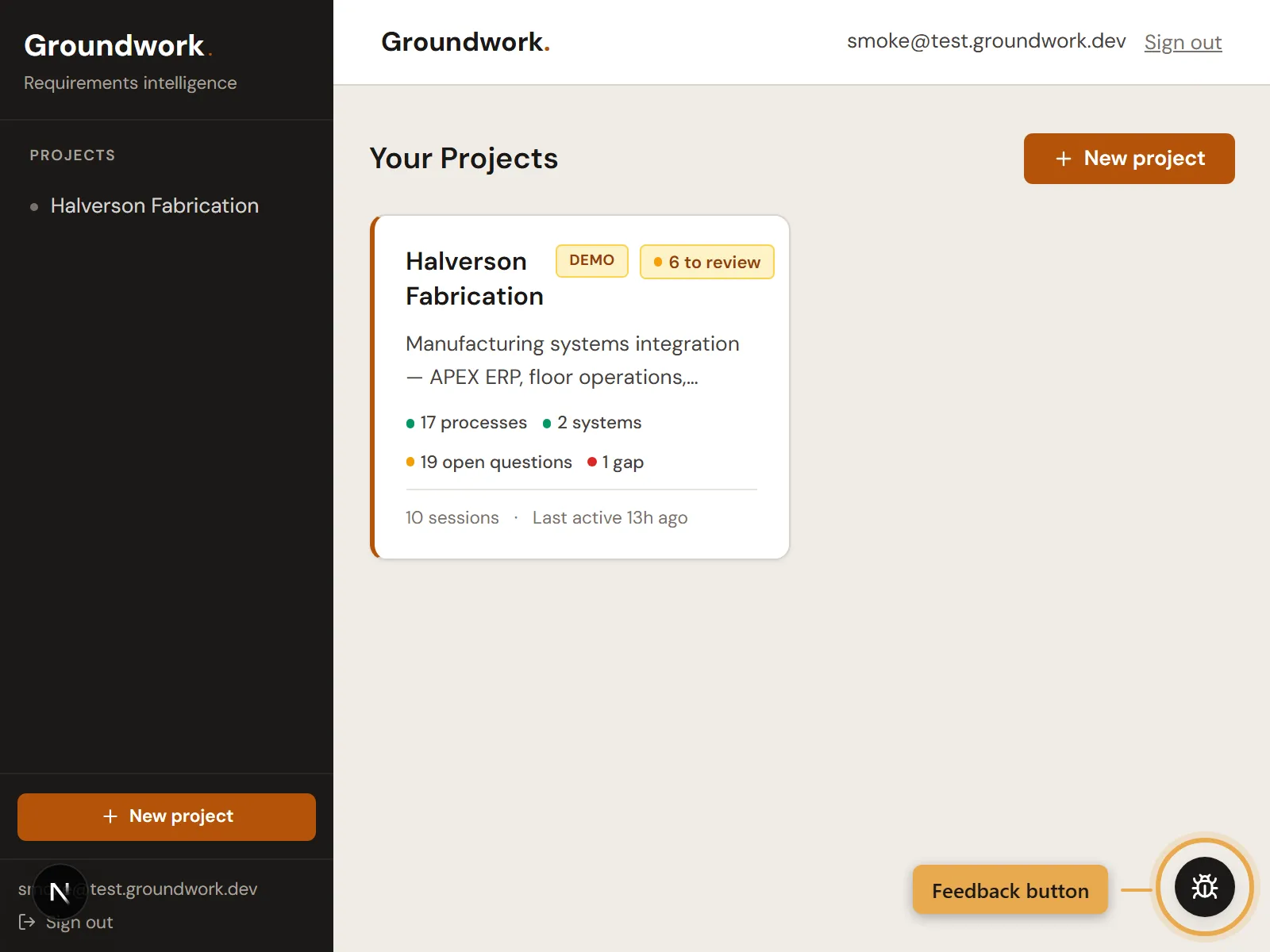
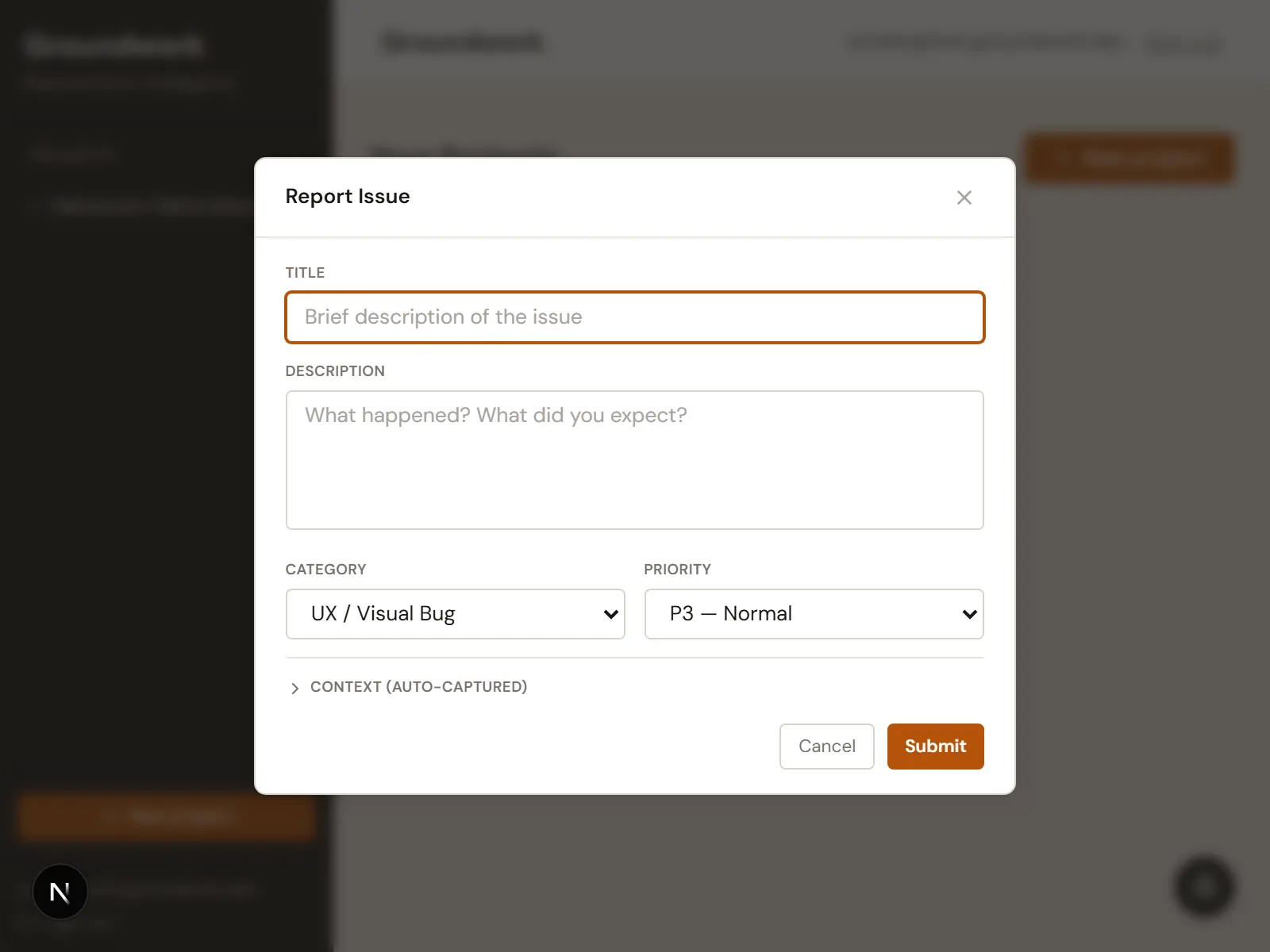
This resulted in building a feedback button into the app as a small floating icon in the corner of every page — click it, describe the problem, submit. The issue that lands in GitHub has a screenshot of exactly what the user was looking at, the last 10 browser errors, viewport size, URL, browser info, and whatever they typed.
Why GitHub Issues
Groundwork already tracks its backlog in GitHub Issues. The feedback button just creates issues in the same repo where we’re already working.
The real value is the automatic context. Claude Code can pick up an issue filed through the button and usually start fixing it immediately — the screenshot, errors, and page info are all right there. Before the button existed, half the time Claude would open an issue and the first thing it had to do was ask what page the person was on or dig through logs for details.
How the pieces fit together
Screenshots
The screenshot has to happen before the modal opens — otherwise you’re just screenshotting your own feedback form. Claude Code used a library called html-to-image for this:
// Capture screenshot BEFORE modal renders
try {
  const png = await toPng(document.body, {
    pixelRatio: 1,
    height: window.innerHeight,
  });
  setScreenshot(png);
} catch {
  setScreenshot(null);
}
If the capture fails the feedback still submits without the screenshot.
Browser errors
To help Claude Code resolve these issues, a hook runs in the background and quietly saves the last 10 browser errors as they happen:
import { useEffect, useRef, useCallback } from "react";

const MAX_ERRORS = 10;

function serialize(...args: unknown[]): string {
  return args
    .map((a) =>
      a instanceof Error
        ? a.stack || a.message
        : typeof a === "string"
          ? a
          : JSON.stringify(a),
    )
    .join(" ");
}

export function useConsoleErrors() {
  const errorsRef = useRef<string[]>([]);

  useEffect(() => {
    const original = console.error;

    console.error = (...args: unknown[]) => {
      const serialized = serialize(...args);
      errorsRef.current = [...errorsRef.current, serialized].slice(-MAX_ERRORS);
      original.apply(console, args);
    };

    return () => {
      console.error = original;
    };
  }, []);

  const getErrors = useCallback(() => [...errorsRef.current], []);

  return { getErrors };
}
It intercepts the browser’s error logging, saves what it finds, and still lets the original errors through. When someone clicks the feedback button, whatever errors have piled up get included in the issue. If there aren’t any, it just says “None captured.”
These errors have been the most useful part of the whole feature. Half the time they tell Claude exactly what’s wrong before anyone writes a word.
The issue body
All the context gets assembled into markdown for the GitHub issue:
export function buildIssueBody(req: FeedbackRequest, screenshotUrl?: string): string {
const lines: string[] = [];
lines.push("## Description");
lines.push(req.description?.trim() || "No description provided.");
lines.push("");
if (screenshotUrl) {
lines.push("## Screenshot");
lines.push(``);
lines.push("");
}
lines.push("## Context");
lines.push(`- **URL:** ${req.context.url}`);
lines.push(`- **Viewport:** ${req.context.viewport}`);
lines.push(`- **Timestamp:** ${req.context.timestamp}`);
lines.push(`- **User Agent:** ${req.context.userAgent}`);
lines.push("");
lines.push("## Console Errors");
if (req.context.consoleErrors.length > 0) {
lines.push("```");
lines.push(req.context.consoleErrors.join("\n"));
lines.push("```");
} else {
lines.push("None captured.");
}
lines.push("");
lines.push("---");
lines.push("*Filed via Groundwork feedback button*");
return lines.join("\n");
}The API route takes all of this, uploads the screenshot to storage, and creates the issue through GitHub’s API. The screenshot shows up as an embedded image so Claude can see exactly what the user was looking at.
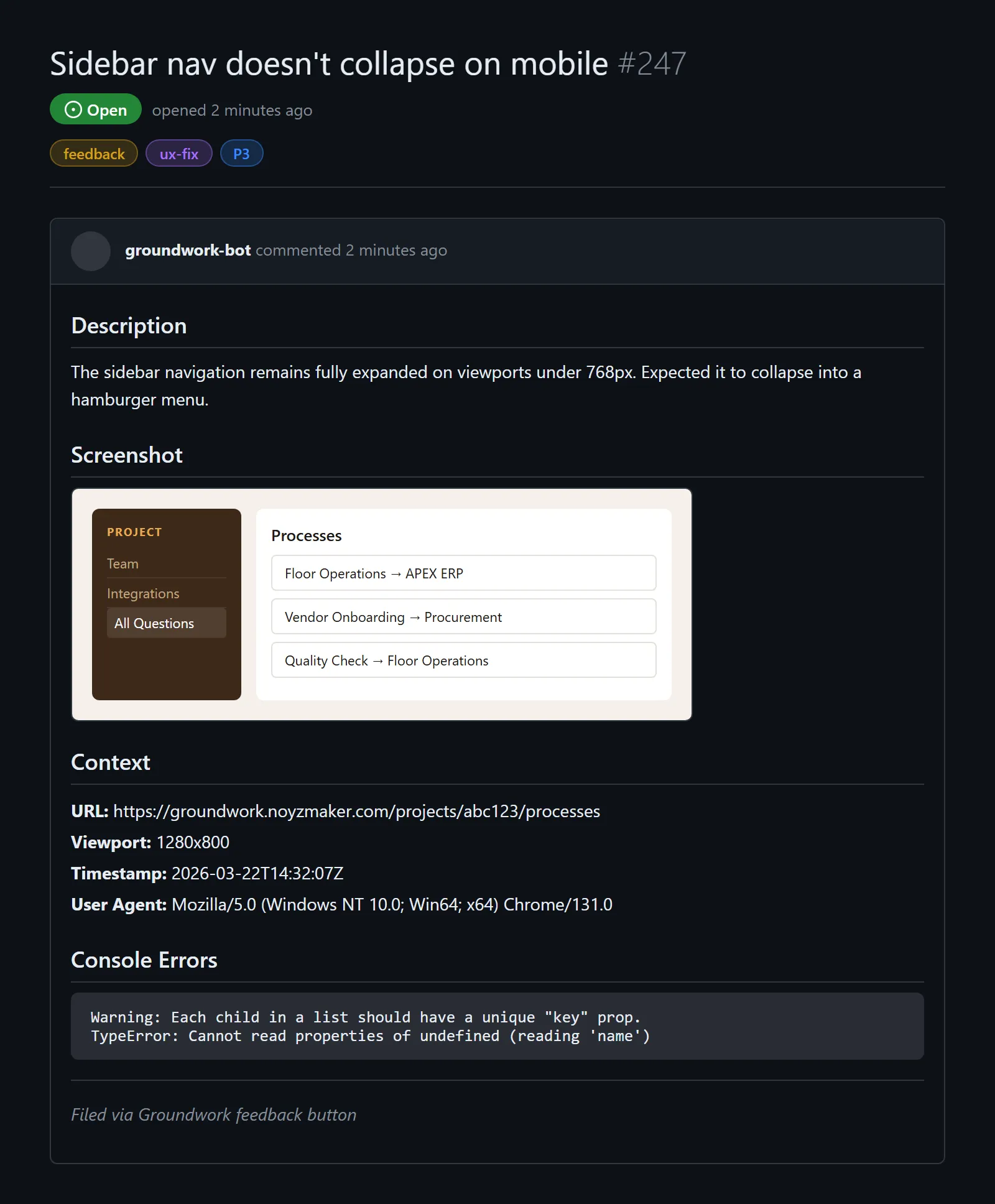 Everything from one button click.
Labels and safety
Each issue gets tagged with feedback plus whatever category and priority the user picked. Those get validated server-side against a fixed list before anything touches GitHub:
const VALID_CATEGORIES = new Set<string>(CATEGORY_LABELS.map((c) => c.value));
const VALID_PRIORITIES = new Set<string>(PRIORITY_LABELS.map((p) => p.value));

const safeCategory = VALID_CATEGORIES.has(body.category) ? body.category : "ux-fix";
const safePriority = VALID_PRIORITIES.has(body.priority) ? body.priority : "P3";
const labels = ["feedback", safeCategory, safePriority];
Rate limiting of 10 requests per user per 10-minute window is in place since the button is available to anyone using the app.
Build your own
If you want something like this, here’s a single prompt you can paste into Claude Code to build the whole thing:
Build an in-app feedback button that creates GitHub issues. The button should float in the bottom-right corner of every page. When clicked, capture a screenshot of the page using html-to-image (toPng) BEFORE opening the modal — otherwise you screenshot the modal itself. The modal needs a description field, submit, and cancel. On submit, POST to a server-side API route (/api/feedback) that takes the description, screenshot (base64 or null), and auto-captured context (current URL, viewport dimensions, user agent, timestamp, and the last 10 console errors). The API route should upload the screenshot to the GitHub repo via the Contents API, build a markdown issue body with sections for Description, Screenshot, Context, and Console Errors, then create the issue via the GitHub Issues API with labels. Use a GitHub personal access token with repo scope stored in an environment variable. For the console errors, create a hook that intercepts console.error, stores the last 10 in a rolling buffer, and exposes a getErrors() function. If screenshot capture fails, submit without it. Make the modal accessible — focus trap, escape to close, aria labels.
If you’d rather build it piece by piece, here are the same requirements broken out:
The button and modal:
Build a floating feedback button component. Fixed position, bottom-right corner. On click: capture a screenshot of document.body using html-to-image (toPng) BEFORE rendering the modal. Modal contains a textarea for description, submit and cancel buttons. On submit: POST to /api/feedback with JSON body containing description, screenshot (base64 data URL or null), and a context object with current URL, viewport dimensions, user agent, timestamp, and an array of recent console errors. Close on success, show error on failure. Make it accessible — focus trap, escape to close, aria labels.
Capturing browser errors:
Create a React hook called useConsoleErrors that intercepts console.error on mount, stores the last 10 errors in a ref (not state), serializes each error (Error objects become stack traces, strings stay as-is, everything else gets JSON.stringified), restores original console.error on unmount, and exposes a getErrors() function that returns a copy of the current error array. If you’re not using React, the same pattern works with a plain module-scoped array and a setup/teardown function.
The API route:
Build a server-side API route (POST /api/feedback) that accepts JSON with description, screenshot (base64 or null), category, priority, and a context object. If a screenshot is provided, upload it to the GitHub repo using the Contents API and get back the download URL. Build a markdown issue body with sections for Description, Screenshot, Context, and Console Errors. Create the issue via the GitHub Issues API with appropriate labels. Use a GitHub personal access token with repo scope stored in an environment variable. Validate label values against an allowlist server-side. Return the issue URL in the response.
Screenshot capture:
Add screenshot capture to the feedback button using html-to-image (toPng) on document.body. Capture at 1x pixel ratio, set height to window.innerHeight so it gets the viewport not the full page, and capture BEFORE the modal renders. Wrap in try/catch — if it fails, proceed without the screenshot. Store as a base64 data URL string or null.